Add an action to your ToDo List
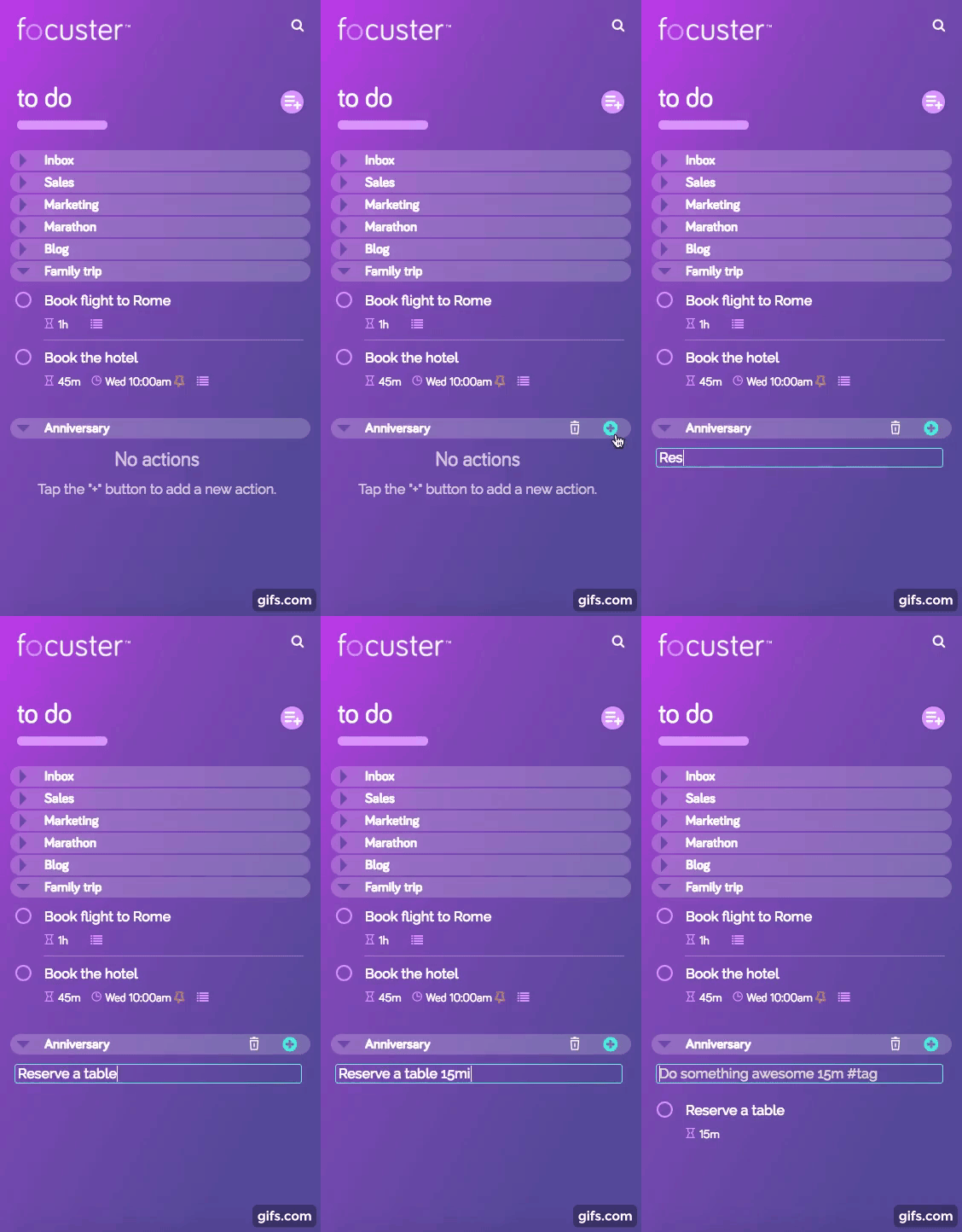
To add a new action to your ToDo List simply press the “+” button, then enter your action and duration time:
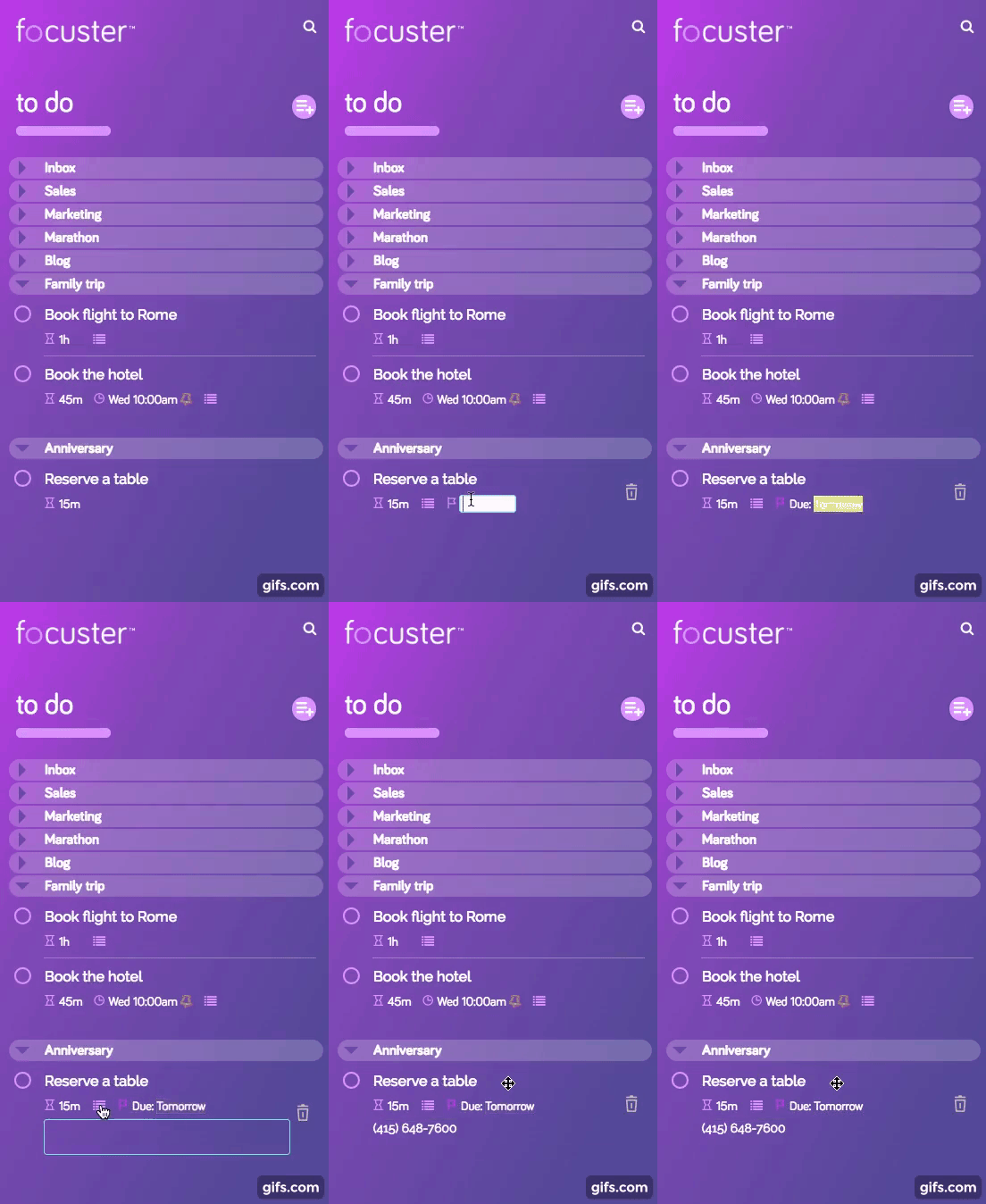
You can also add a due date and notes to any actions here.
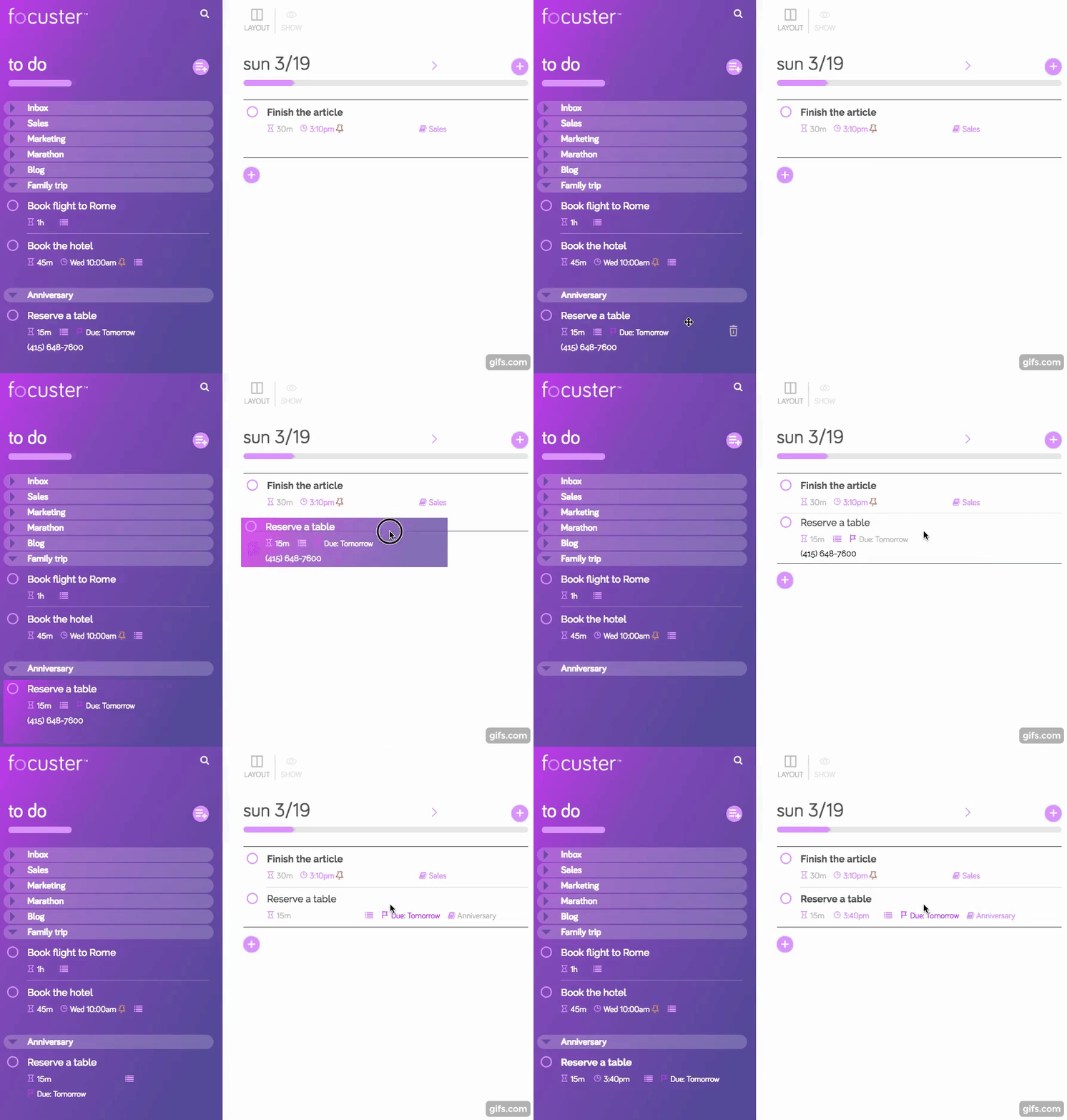
To add this action to your Action List - simply drag and drop it:
Learn some great tips on quick action entry here.