Focus with Now
Now hides everything except the Action to do next. Use it when you want to work, not plan.
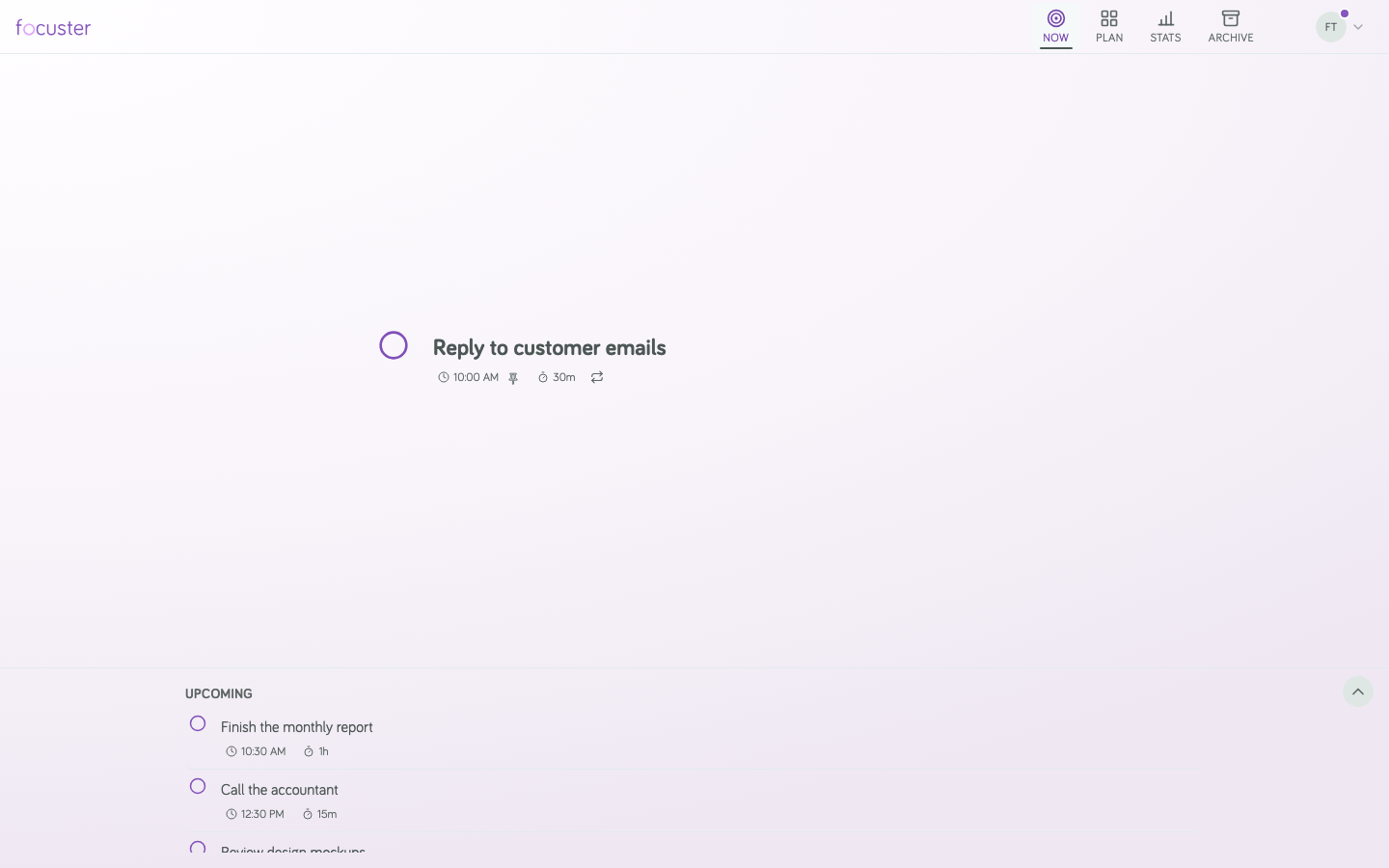
Open Now
- On a computer, select Now at the top of the screen.
- On a phone, tap Now in the bar at the bottom.
What Now shows
Now includes incomplete scheduled Actions intended for today, even if they have been pushed to a later day. It also includes incomplete Block Actions scheduled today. Calendar events do not show here.
The Action in the middle is the first in scheduled time order. Below it, Upcoming lists the rest in the same order. Select the arrow next to Upcoming to open or close the list.
Finish and move on
When you finish the Action, select the circle next to it. Focuster marks it complete, and the next Action moves to the middle.
If you finish early or late, you do not need to change anything. Focuster schedules the rest of your day again.